
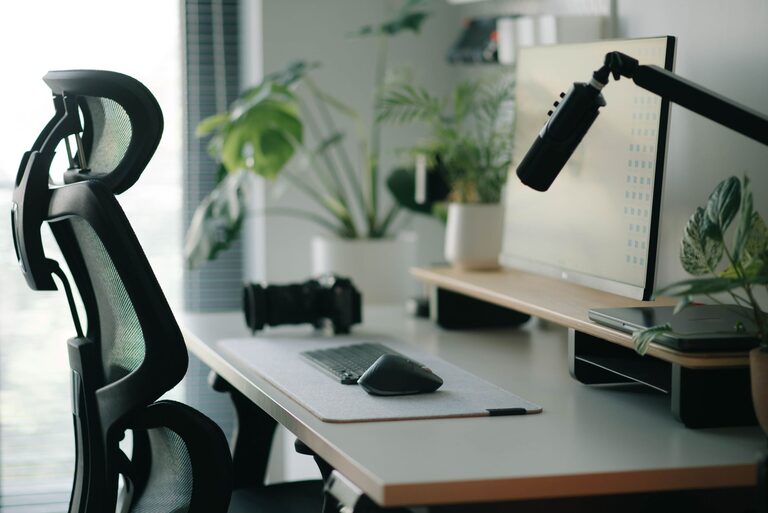
Creating a workspace that supports both focus and comfort is essential, especially as more people spend extended hours at their desks. Whether you work from home or in an office, the right desk setup can make a big difference in your productivity, well-being, and overall work experience. In this post, we’ll explore practical tips to help you optimize your desk setup for better focus and comfort.
Why a Good Desk Setup Matters
A well-designed workspace influences your posture, reduces distractions, and encourages efficient work habits. Poor setups can lead to discomfort, fatigue, and difficulty concentrating. By making thoughtful adjustments to your work environment, you can create a space that helps you stay attentive and comfortable throughout the day.
Choosing the Right Desk and Chair
Desk Height and Surface
– Optimal Height: Your desk should allow your forearms to rest parallel to the floor when typing or writing. A standard desk height of 28–30 inches suits most, but adjustable desks offer more flexibility.
– Adequate Space: Ensure your desk surface is spacious enough for your computer, essential tools, and some room for note-taking or planning.
– Material and Finish: Choose a desk surface that’s easy to clean and non-reflective to minimize glare and eye strain.
Chair Comfort and Support
– Ergonomic Design: Pick a chair that supports the natural curve of your spine, offers adjustable height, and provides good lumbar support.
– Adjustability: Your chair should allow you to adjust seat height, recline, and armrests to fit your body comfortably.
– Mobility: A swivel chair with wheels can improve accessibility to different parts of your workspace without strain.
Setting Up Your Monitor and Screen
– Eye Level Positioning: Place your monitor so the top of the screen is at or just below your eye level. This prevents neck strain.
– Distance: Keep the monitor about 20-30 inches away—roughly an arm’s length—to reduce eye fatigue.
– Multiple Screens: If using more than one monitor, arrange them close together and at the same height to avoid excessive head turning.
Keyboard and Mouse Placement
– Keep Them Close: Your keyboard and mouse should be within easy reach to keep your wrists straight and relaxed.
– Use a Wrist Rest: Consider a soft wrist rest to reduce pressure, but avoid resting your wrists on hard surfaces while typing.
– Keyboard Angle: A slight negative tilt (front lower than back) can help keep wrists in a natural position.
Lighting for Focus and Eye Comfort
– Natural Light: Position your desk near a window if possible to take advantage of natural light, which can enhance mood and alertness.
– Avoid Glare: Use blinds or curtains to control direct sunlight that might reflect on your screen.
– Task Lighting: Add a desk lamp with adjustable brightness and direction to illuminate your work area without causing glare.
– Color Temperature: Use bulbs with a color temperature between 4000-5000K (neutral white) for balanced lighting.
Organizing Your Workspace
Declutter Regularly
A clutter-free desk reduces distractions and helps you focus better. Keep only what you need on your desk and store other items in drawers or shelves.
Use Organizers
– Desk Trays and Holders: Use trays to keep papers organized.
– Cable Management: Employ cable clips or sleeves to keep cords tidy and prevent them from tangling.
– Storage Solutions: Shelves, filing cabinets, or organizers can keep your supplies within reach but out of the way.
Adding Personal Touches Mindfully
Incorporate elements that make your workspace pleasant without overwhelming it. A small plant, a photo, or a motivational quote can boost your mood and motivation.
Taking Breaks and Adjusting Posture
Remember that no setup can replace the need to move regularly. Stand up, stretch, or walk around every 30-60 minutes to reduce muscle stiffness and eye strain.
Additional Comfort and Focus Boosters
– Use a Footrest: If your feet don’t rest flat on the floor, a footrest can improve posture and circulation.
– Noise Control: Use noise-canceling headphones or white noise machines if you work in a noisy environment.
– Temperature: Keep your workspace at a comfortable temperature to avoid distraction.
Final Thoughts
Investing time and effort into your desk setup pays off by enhancing your focus and comfort, ultimately improving your work performance and well-being. Start with small changes and adjust according to your needs. Over time, you’ll create a workspace that supports your goals and keeps you comfortable throughout your workday.
By following these tips, you can enjoy a more productive and enjoyable work experience, no matter where you set up your desk.